- calendar_today August 26, 2025
Google has initiated the official release of Android 16 after enduring months of speculation and limited beta testing paired with developer previews. Pixel devices will receive the update before other Android phones which will follow during the next weeks or months.
Pixel device users will begin receiving the over-the-air (OTA) update today. Google provides system images and update files for manual installation on its developer site to support users who prefer not to wait for automatic updates. There is no need to rush unless you feel particularly eager. The update introduces changes but they aren’t sweeping at this stage.
Android 16 presents multiple new features despite its quiet introduction while hinting at major improvements later this year.
What’s New in Android 16
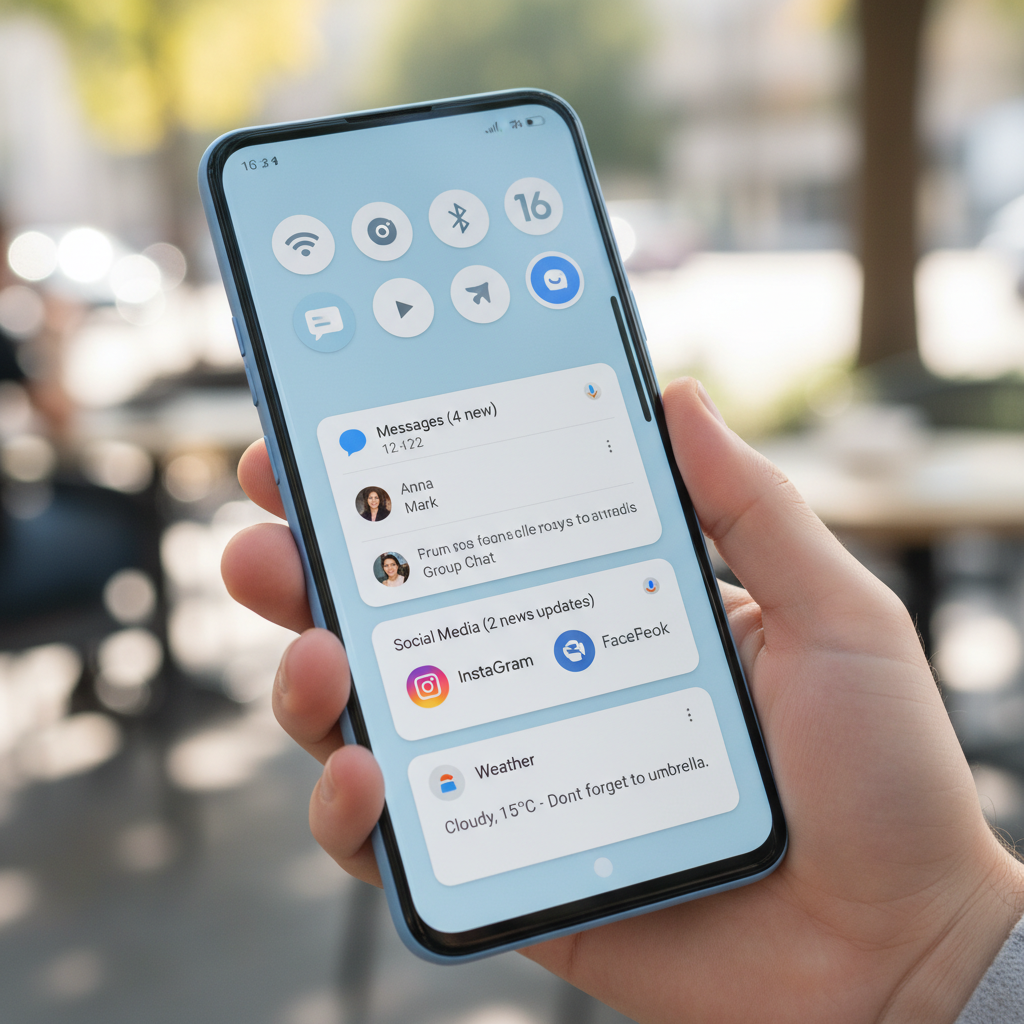
The notification shade receives the most visible changes in this update. The bundled notifications feature appeared for the first time in Android 7.0 Nougat by Google. Android 16 requires all notifications to be bundled together. Your screen becomes less cluttered because Android 16 groups multiple app notifications into a single expandable card. This update may seem minor yet it brings positive changes.
Another addition is live update notifications. The new functionality commences with select rideshare and delivery applications to let users track real-time updates through status bar icons. Users can access a condensed window showing progress by tapping the notification icons. Google has announced partnerships with Samsung and OnePlus to connect the feature with the Now Bar and Live Alerts respectively.
Security also gets a boost. Advanced Protection feature becomes available on all devices running Android 16. After activation your phone loses access to legacy 2G networks and blocks non-secure websites while preventing USB data transfer access. Google continues to zero in on protecting user privacy and enhancing device security.
The new generative AI-powered emoji feature offers customizable fun for users who enjoy personalization. The Pixel Studio app enables users to design custom emojis by using Emoji Kitchen. This feature shows Google’s increasing exploration of generative AI developments while keeping things playful.
Android 16 implements substantial updates which will affect developer experiences behind the scenes. One key improvement is automatic large-screen support. Applications designed for Android 16 (API level 36) benefit from automatic scaling that allows them to fill foldables and tablets more effectively. The update promises to enhance app appearances on bigger displays when developers factor these devices into their design process.
System updates include built-in camera improvements. The latest Android 16 release includes support for hybrid auto-exposure and motion photos as well as night mode detection along with other features. The system now enables HDR screenshots but different apps will offer varying levels of support. Google has implemented stricter background process controls which will impact certain apps but aims to improve battery efficiency across the board.
Pixel Drop Features: VIPs and More
The Android 16 update introduces a new Pixel Drop feature from Google. The update contains a limited number of new features but brings exclusive Pixel functions. The most significant new addition is a feature known as Pixel VIPs. Pixel VIPs advance the functionality of favorite contacts to a new level. A new widget allows users to view recent WhatsApp and Messages activity along with location data and birthdays for their VIP contacts. Users can reach these contacts without restrictions even when Do Not Disturb mode is active.
The app now offers improved hearing aid support along with real-time search features. Expressive Captions have expanded beyond the U.S. to become available in the UK, Canada, and Australia.
The availability of these features depends on Pixel phones running Android 16.
Delayed but Promising Features
Android 16 will not release all of its features today. Google intends to introduce its most highly anticipated updates towards the end of 2025.
Take Material 3 Expressive, for instance. Later this year users will see the previously revealed new design language become available. The company hasn’t finalized release dates but has advised developers to start preparing their applications immediately. The updated design will offer an Android interface with increased colorfulness and expressiveness.
The much-awaited desktop mode feature will soon become part of Android. Samsung and developers worked together to create this system which improves upon Samsung’s existing DeX functionality. Through this mode tablets will be able to project desktop-style window interfaces to external displays with phones eventually gaining this feature. Unlike other devices the Pixel 9 Pro Fold foldable can’t do on-device windowing but supports windowing through external displays.
OEM support is not guaranteed. Google’s Pixel lineup will feature complete windowing capabilities while manufacturers of other Android 16 devices will have to decide whether to implement just screen mirroring features.
A Shift in Release Strategy
The key transformation of Android 16 relates to its release timing rather than new features. Every fall, Android updates were made available in conjunction with new Pixel hardware releases. That’s no longer the case. Google plans to release significant Android updates in late spring with API updates following at year’s end.
The new strategy aims to enable more adaptable release scheduling. Android 16 represents the initial release following this revised calendar and its quieter launch serves as groundwork for future developments.
Android 16 will appear to develop gradually since substantial updates like desktop mode integration and AI improvements are scheduled for release later in 2025. You should monitor Android 16 closely.